Smart Home Electrical Requirements Australia 2026: AS/NZS 3000 Guide
Building a smart home in Australia requires understanding the AS/NZS 3000 Wiring Rules that govern all electrical installations. From smart switches requiring neutral wires at every switch point to structured data cabling and dedicated circuits for EV chargers, getting the electrical infrastructure right during construction or renovation saves thousands compared to retrofitting. This guide covers every electrical requirement for a modern Australian smart home.
Switchboard Capacity for Smart Home Systems
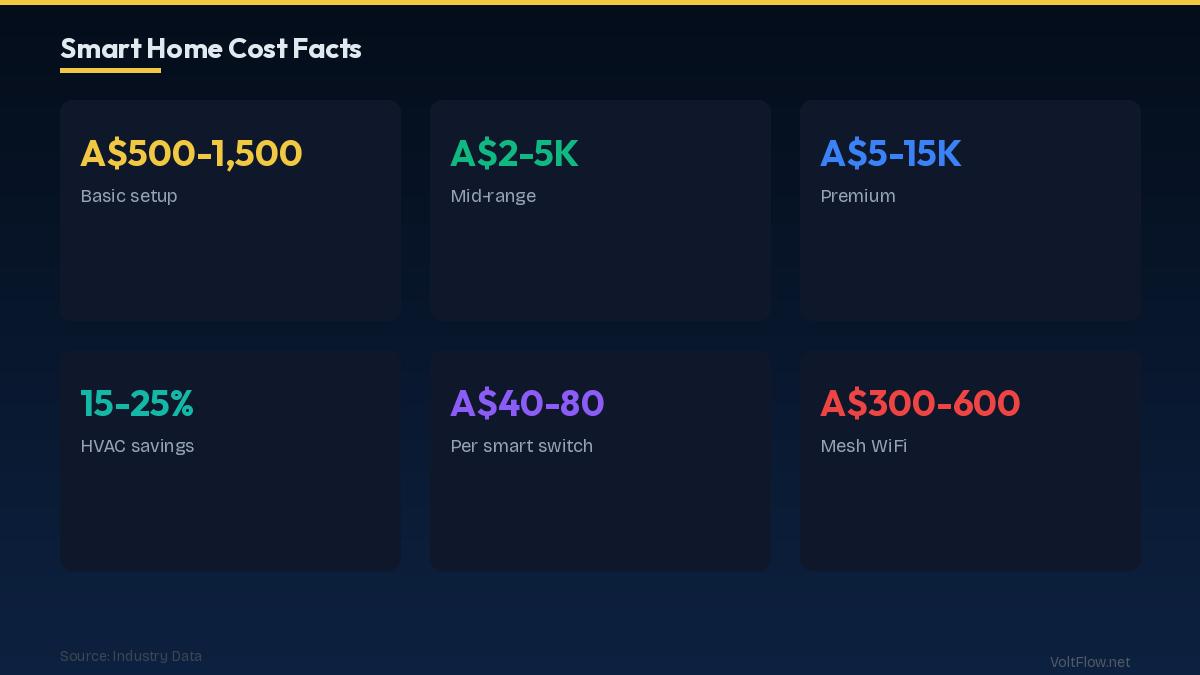
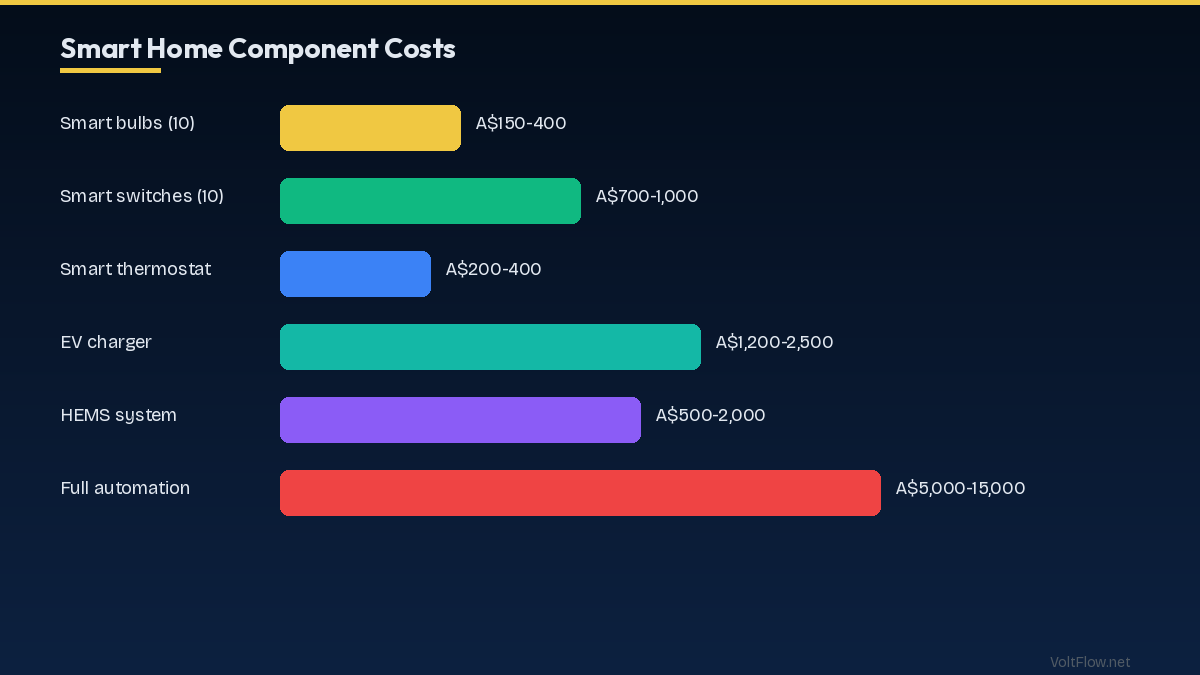
Your switchboard is the heart of your home electrical system and must have adequate capacity for the increasing demands of smart home technology. Most Australian homes built before 2010 have switchboards with 12-18 circuit positions. A modern smart home typically needs 18-28 circuits to accommodate dedicated circuits for EV charger at 32A, heat pump hot water on controlled load, solar inverter connection, battery storage connection, home automation hub and network equipment, outdoor lighting circuits, separate kitchen appliance circuits, bathroom circuits with RCD protection, and standard lighting and power circuits for each zone. If your switchboard is nearing capacity, a switchboard upgrade to a larger enclosure with 28-36 positions costs A$800-$2,000 including new RCDs and circuit breakers. This upgrade is often combined with replacing old ceramic fuses or rewireable fuse boards with modern RCBOs for individual circuit protection. A modern RCBO-based switchboard provides both overcurrent and earth leakage protection on every circuit independently, meaning a fault on one circuit does not affect others. Smart switchboard monitoring from brands like Fronius, Solar Analytics, and Powerpal adds per-circuit energy monitoring for A$300-$600. These devices install inside the switchboard and connect to a smartphone app showing real-time consumption by circuit, helping you identify energy waste and verify that smart automation is delivering expected savings. Some systems like the Fronius Smart Meter and SolarEdge Energy Hub integrate directly with your solar inverter for combined solar, battery, and consumption monitoring in one platform. When planning a new smart home or major renovation, work with your electrician to create a circuit schedule that allocates dedicated circuits for all high-power smart devices and leaves 4-6 spare positions for future additions. Running cable to switch and outlet locations during construction or renovation when walls are open costs A$20-$50 per cable run. The same cable run after walls are closed costs A$150-$400 due to the difficulty of fishing cable through finished walls and ceilings.
Structured Data Cabling: The Smart Home Backbone
Reliable smart home performance depends on a robust data network. While Wi-Fi handles most wireless smart devices adequately, hardwired Ethernet connections to key locations provide the speed, reliability, and latency consistency that streaming, gaming, home offices, and security cameras demand. A structured cabling plan runs Cat6 Ethernet cable from a central distribution point to every room in the house. The minimum specification for a smart home is two Cat6 drops per bedroom, four per living area, one per camera location, and dedicated runs to each wireless access point location. A typical 4-bedroom home needs 15-25 Cat6 cable runs. Cat6 cable costs A$0.50-$1.00 per metre, with total cable cost for a typical home of A$200-$500. Professional installation during construction adds A$1,500-$3,000 for pulling cable, terminating at patch panels and wall plates, and testing. Retrofit installation in a finished home costs A$3,000-$6,000 due to the labour-intensive process of fishing cable through existing wall and ceiling cavities. The central distribution point should be a structured media enclosure mounted in a utility room, garage, or dedicated comms cupboard. This houses your NBN modem, router, network switch, patch panel, and home automation controller. The enclosure needs a dedicated power point on its own circuit with a small UPS at A$150-$300 to maintain network connectivity during brief power interruptions. Adequate ventilation prevents overheating of network equipment that runs 24 hours a day. Wi-Fi mesh systems like Google Nest WiFi, Ubiquiti UniFi, and TP-Link Deco provide whole-home wireless coverage for IoT smart devices. Each mesh node should have a hardwired Ethernet backhaul connection to the central switch for best performance. Wireless backhaul between nodes works but reduces available bandwidth by 50% on each hop. Plan Ethernet drops at the locations where you will mount mesh access points, typically one per floor or per 80-100 square metres of floor area. Power over Ethernet or PoE eliminates the need for power outlets at camera and access point locations. A PoE switch at A$150-$300 delivers both data and 15-30 watts of power over the Cat6 cable, powering cameras and access points without separate electrical circuits. PoE simplifies installation and reduces the number of electrical points needed in the home.
Smart Switches and the Neutral Wire Requirement
The most common technical challenge when retrofitting smart switches in Australian homes is the absence of neutral wires at switch locations. Understanding this requirement helps you plan smart switch purchases and installation correctly. Most smart switches require three connections: active (the switched live), neutral (the return path), and earth. The neutral wire provides a continuous path for the small amount of power the smart switch electronics need to operate when the light is off. Without a neutral, the switch has no power source to maintain Wi-Fi connectivity and respond to app or voice commands when the light is turned off. Many Australian homes built before 2000 have switch loops where only the active and switched active wires run to the switch point, with no neutral present. The neutral wire stays at the light fitting location. This wiring method was common, code-compliant, and works perfectly for traditional mechanical switches that need no power when off. To retrofit smart switches in homes without neutral wires at switches, you have several options. Smart switches that work without neutral include the Clipsal Iconic Bluetooth switches and a few Wi-Fi models from brands like Treatlife and Martin Jerry. These switches use a small leakage current through the connected light to power their electronics. They work reliably with incandescent and halogen loads but may flicker or malfunction with LED bulbs that have very low standby current. Adding a neutral wire to each switch location is the most reliable long-term solution but requires running an additional cable from the light fitting to the switch. During a renovation when walls are open, this costs A$50-$100 per switch location. In a finished home, it costs A$200-$400 per location due to the difficulty of fishing cable through closed walls. Using a smart relay at the light fitting instead of a smart switch is an alternative that avoids the neutral wire problem entirely. Smart relays like the Shelly 1 at A$20-$30 install behind the light fitting where the neutral wire is always present. The existing mechanical switch controls the relay via a short pulse, and the relay connects to Wi-Fi for app and voice control. This approach preserves your existing switches while adding smart functionality at a fraction of the cost of smart switches. For new construction, always specify neutral wires at every switch location in the electrical plans. The AS/NZS 3000 wiring rules do not require neutral at switches, but forward-thinking builders and electricians routinely include them for smart home readiness. The additional cable cost is A$5-$10 per switch location during construction, negligible compared to the A$200-$400 per location retrofit cost.
EV Charger and Solar Integration Requirements
Integrating an EV charger and solar system into your smart home electrical infrastructure requires careful planning of circuits, communication, and load management to maximise efficiency and avoid overloading your supply. An EV charger requires a dedicated circuit from the switchboard with a 32A MCB for a 7kW single-phase charger or 32A three-pole MCB for a 22kW three-phase unit. Type A RCD protection is mandatory under AS/NZS 3000 for EV charging circuits. The cable run from switchboard to charger location needs 6mm² TPS cable for runs up to 25 metres. Longer runs may require 10mm² to manage voltage drop within the 5% limit specified by AS/NZS 3000. Smart EV chargers with solar integration communicate with your solar inverter to adjust charging speed based on available solar surplus. The myenergi Zappi and Fronius Wattpilot use CT clamp monitoring on the grid connection to detect surplus solar and automatically increase EV charging rate. This ensures your car charges from free solar electricity during the day rather than drawing expensive grid power. The communication between solar inverter, battery, EV charger, and hot water system creates a smart energy ecosystem that prioritises loads based on your preferences. A typical priority order is household consumption first, then battery charging, then EV charging, then hot water heating, with any remaining surplus exported to the grid. Home energy management systems from Fronius, SolarEdge, and GivEnergy orchestrate these priorities automatically once configured by your installer. Load management is critical for homes with single-phase supply where the EV charger (7kW), heat pump hot water (1-2kW), air conditioning (2-5kW), and cooking (3-8kW) can collectively exceed the 63A or 80A main switch rating. Dynamic load management devices monitor total household current and automatically reduce EV charging or hot water heating when other loads are active, preventing the main switch from tripping. This intelligent load balancing avoids the need for a costly supply upgrade to three-phase while supporting all smart home loads. For new builds, run conduit from the switchboard to the garage or carport EV charger location, to the roof space for future solar DC cable routing, and to the battery storage location. Empty conduit costs A$100-$300 and allows future cable installation without opening walls.
AS/NZS 3000 Compliance for Smart Home Installations
All electrical work in Australian smart homes must comply with AS/NZS 3000 (the Wiring Rules) and be performed by a licensed electrician. Understanding the key regulatory requirements helps you plan installations and communicate effectively with your electrician. RCD protection is mandatory for all final subcircuits in new installations and renovations under AS/NZS 3000. This means every power and lighting circuit in a smart home must have RCD protection, typically provided by RCBOs in the switchboard. For smart home devices that may be sensitive to RCD trips such as home automation controllers, network equipment, and security systems, installing these on dedicated RCBOs ensures a trip on one circuit does not affect other smart home functions. Maximum demand calculations per AS/NZS 3000 Section 2 determine whether your existing supply can support the additional loads from EV charging, battery storage, and smart home systems. Your electrician calculates the total connected load applying diversity factors and compares it to your supply capacity. Most single-phase homes with a 63A or 80A main switch can support a 7kW EV charger alongside normal household loads if a load management device is installed. Three-phase supply upgrade at A$2,000-$5,000 is needed if the single-phase supply is genuinely insufficient. Cable sizing per AS/NZS 3000 Tables must account for current-carrying capacity, voltage drop, and earth fault loop impedance. For smart home circuits that are long runs to outdoor cameras, garden lighting, or detached buildings, voltage drop is often the controlling factor that determines cable size. Use the VoltFlow cable size calculator to verify your specific installation meets AS/NZS 3000 requirements before your electrician begins work. Smoke alarm regulations under AS/NZS 3786 now require interconnected smoke alarms in all bedrooms, hallways, and living areas for any new builds, renovations, or when the property is sold or leased. Smart interconnected alarms like Google Nest Protect, which connect via Wi-Fi and send alerts to your phone, comply with the interconnection requirement while adding smart home functionality. These cost A$150-$200 each versus A$30-$50 for basic interconnected alarms. All smart home electrical installations require an Electrical Certificate of Compliance issued by the licensed electrician who performed the work. This certificate confirms the work meets AS/NZS 3000 and applicable Australian Standards. Keep all certificates for future property sales and insurance purposes.
Budget Planning for a Smart Home Electrical Fit-Out
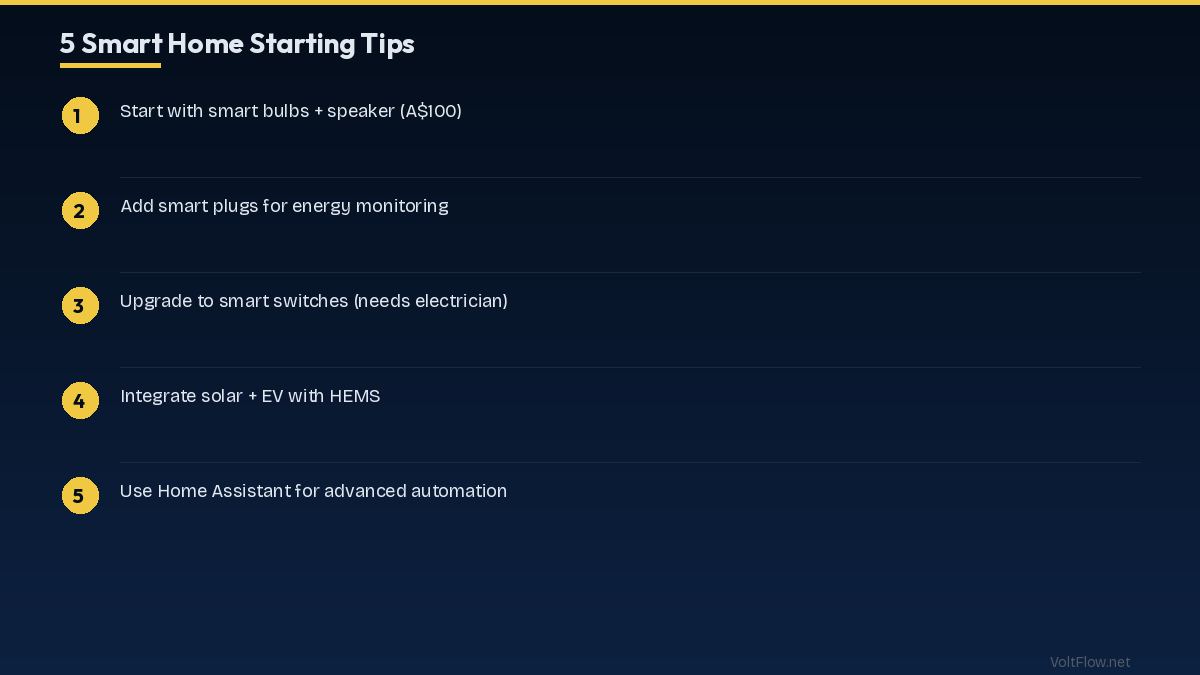
A complete smart home electrical fit-out during new construction or major renovation ranges from A$5,000 to A$25,000 depending on scope, with most homes spending A$8,000-$15,000 for a well-equipped smart home infrastructure. The switchboard upgrade or new installation with RCBO protection, adequate circuit positions, and smart monitoring costs A$1,500-$3,500. This is the foundation that everything else connects to. Structured data cabling with Cat6 to every room, patch panel, network enclosure, and PoE switch costs A$2,500-$5,000 during construction or A$5,000-$10,000 as a retrofit. This is the most cost-sensitive component to timing, doing it during construction saves 50-60% compared to retrofit. EV charger circuit pre-wiring with 6mm² cable in conduit to the garage or carport costs A$300-$800 if done during construction. The actual charger unit at A$1,500-$3,000 can be added later when you purchase an EV. Solar and battery pre-wiring including conduit from roof space to switchboard and from switchboard to battery location costs A$200-$500. The solar system at A$5,000-$10,000 and battery at A$8,000-$15,000 are added when budget allows. Smart lighting infrastructure including neutral wires at all switch locations and dimmable LED-compatible wiring costs an incremental A$500-$1,000 over standard wiring during construction. Smart switches at A$50-$120 each and smart bulbs at A$20-$50 each are added over time as budget permits. Home automation controller and hub infrastructure including a dedicated power circuit with UPS and network connectivity costs A$300-$600 for the electrical work. The actual controllers at A$100-$400 each are purchased based on your chosen ecosystem. Security camera pre-wiring with Cat6 and conduit to 4-8 exterior locations costs A$400-$1,000. The cameras at A$100-$300 each are added as needed. Prioritise spending in this order for maximum value: switchboard capacity first because everything depends on adequate power distribution, data cabling second because it is the hardest and most expensive to retrofit, EV and solar pre-wiring third because the conduit investment is minimal and saves significant future cost, and smart device purchases last because technology improves and prices fall so buying devices later gets you better products for less money. The electrical infrastructure has a 30-year lifespan while smart devices have 5-10 year lifecycles, so investing heavily in infrastructure and lightly in devices is the wisest approach.